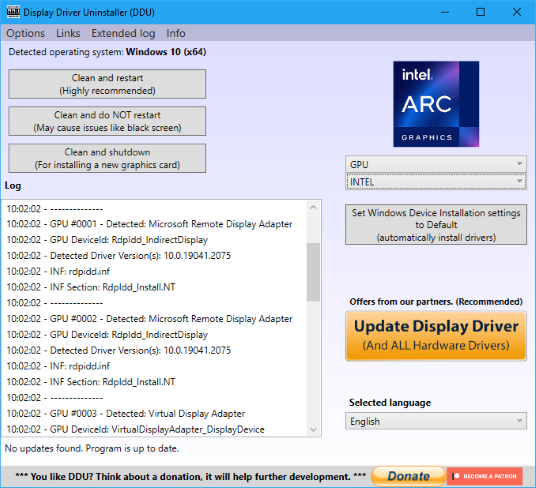
Display Driver Uninstaller (DDU) is a driver removal utility that helps you completely uninstall AMD, NVIDIA, and Intel graphics card drivers from your system without leaving leftovers behind.
Free download · Safe Mode Optimized · For Windows 10/11
Display Driver Uninstaller (DDU) is a driver removal utility that helps you completely uninstall AMD, NVIDIA, and Intel graphics card drivers from your system without leaving leftovers behind. Fix driver conflicts, stop stuttering, and ensure a clean install.
Fix driver conflicts, stop stuttering, and ensure a clean install.
Total Leftover Removal:
Eradicates leftover registry keys, folders, files, and driver stores.
Ensures no traces of old drivers remain to cause conflicts with new installations.
Cleans up driver packages that standard uninstallers often miss.
Safe Mode Optimized:
Built to run perfectly in Windows Safe Mode for the most secure and thorough cleaning process.
Prevents interference from other running processes or services during removal.
Recommended for use when changing GPU brands or troubleshooting persistent issues.
Multi-Vendor Support:
Fully supports removing NVIDIA, AMD, and Intel GPU and Audio drivers.
Handles complex driver installations across different hardware vendors.
Suitable for users switching between AMD and NVIDIA cards.
Windows Update Blocker:
Prevents Windows from automatically downloading a standard driver while you are cleaning your system.
Ensures you can install the specific driver version you want without Windows interference.
Gives you full control over your driver installation process.
Technical registry and command examples
DDU cleans specific registry locations and can be run in Safe Mode. Advanced users often verify these locations or use commands to manage boot options.